
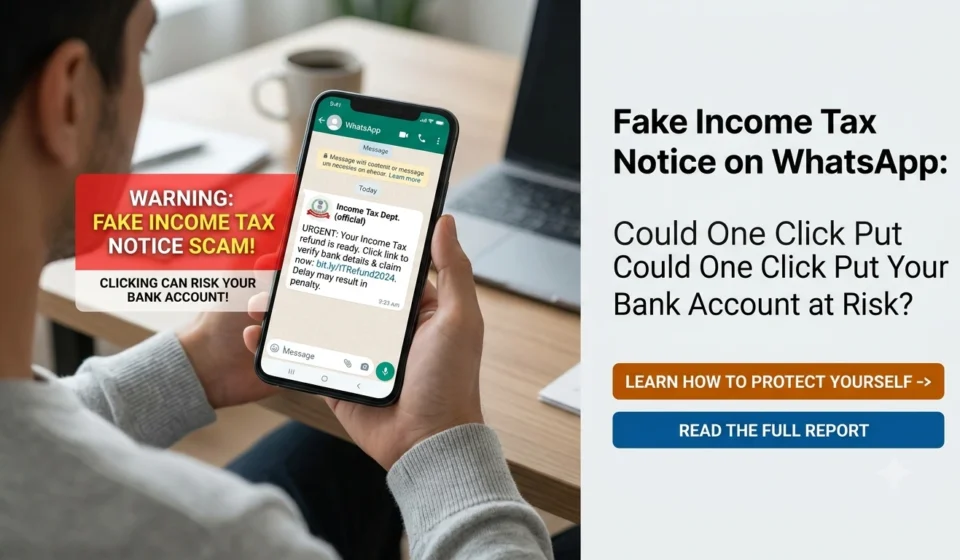
Fake Income Tax Notice on WhatsApp: Could One Click Put Your Bank Account at Risk?

Imagine receiving a WhatsApp message that says an income tax notice has been issued against your PAN. It mentions an outstanding tax demand, warns that your refund could be blocked, and asks you to click a link before the deadline expires.
The message looks official. It may even carry the Income Tax Department’s name, logo or a document that resembles a government notice.
For someone who has recently filed an Income Tax Return (ITR), the message can feel frighteningly believable. Your first instinct might be to open the attachment, check the alleged demand and resolve the matter immediately.
That is precisely the moment to slow down.
A fake income tax notice can be used to trick you into visiting a fraudulent website, sharing sensitive information or downloading a malicious file. Depending on what you do next, scammers may attempt to misuse your banking credentials, payment information or personal data.
But receiving a WhatsApp message does not automatically mean your bank account is compromised. The important thing is to recognise the warning signs and verify the notice through official channels before taking action.
In this guide, we explain how fake income tax notices work, how to verify a genuine notice in India, what to do if you have already clicked a suspicious link, and how to report suspected financial cyber fraud.
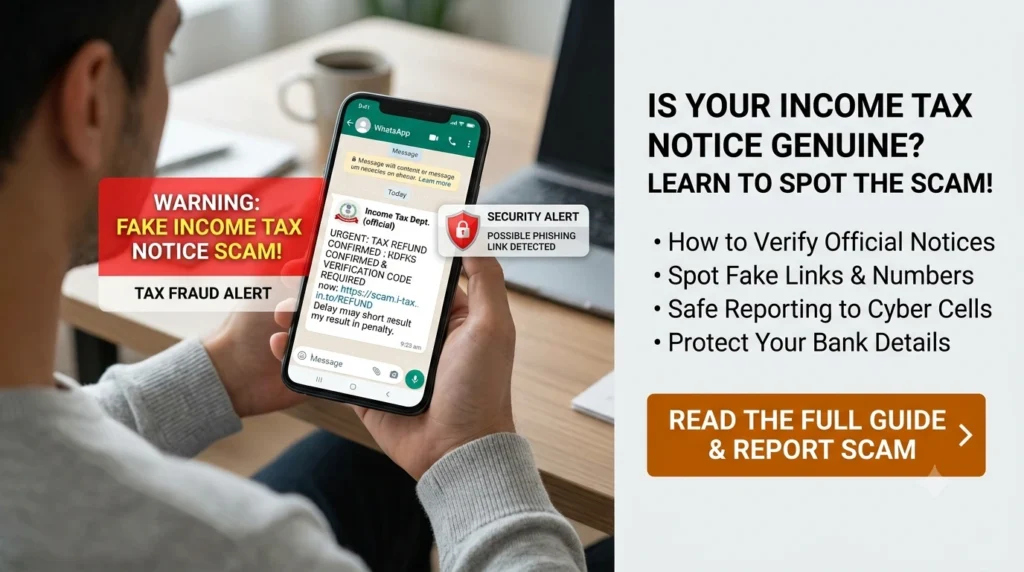
What Is a Fake Income Tax Notice on WhatsApp?
A fake income tax notice is a fraudulent message designed to appear as though it has been issued by India’s Income Tax Department or another tax-related authority.
Scammers may send these messages through WhatsApp, SMS, email or social media. The message might claim that:
- Your income tax refund has been put on hold.
- An unpaid tax demand requires immediate payment.
- Your PAN has been flagged for suspicious activity.
- Your ITR contains discrepancies that must be corrected urgently.
- Legal action will follow if you fail to respond within a short deadline.
- You must download a document or complete verification to avoid a penalty.
The message may contain a link, a PDF attachment, a phone number or instructions to contact someone claiming to be a tax officer.
The objective is to make you act before you have time to check whether the communication is genuine.
Not every tax-related message is fraudulent, and a WhatsApp message alone is not enough to establish whether a notice is genuine. The correct approach is to verify the underlying communication independently rather than trusting the message or dismissing it without checking.
How Can One Click Put Your Bank Account at Risk?
Clicking a suspicious link does not automatically give someone access to your bank account. The risk depends on what the link opens, what permissions you grant, what information you enter and whether you download or install anything.
Here are some of the ways a fraudulent tax message can put your finances at risk.
1. A fake tax portal asks for your banking details
You click a link that opens a website resembling an official government portal. It asks you to enter your PAN, mobile number, bank account information or other personal details.
The website may then request additional information, such as card details, a UPI PIN or an OTP.
Information entered on a fraudulent website can be captured by the people operating it and potentially used in further attempts to access your accounts or authorise transactions.
Remember: You should never disclose your UPI PIN, internet banking password, card PIN or OTP to someone claiming to help you settle a tax notice or release a refund.
2. A fake refund message leads to payment fraud
Refund-related messages can be especially convincing because people naturally want to receive money owed to them.
A scammer might claim that a small verification fee is required to release a refund. Another message may direct you to a fake refund portal and ask you to confirm your bank account.
Treat unexpected payment requests with caution. Verify your actual refund status by visiting the official Income Tax e-Filing portal directly.
You do not need to trust a link sent through WhatsApp to check whether a refund is due.
3. A suspicious attachment asks you to install something
Some fraudulent messages encourage recipients to download a file or install an application to view a notice.
A malicious file or application may attempt to steal information, misuse device permissions or compromise the device. The actual risk depends on the file, the device and what happens after opening or installing it.
Do not install an application, APK file, browser extension or remote-access tool simply because a message claims it is necessary to resolve an income tax issue.
If you have already downloaded a suspicious file, avoid opening it. If you installed an application, review its permissions and seek technical assistance if you suspect the device has been compromised.
4. Scammers use your personal information for further fraud
Even when no money is stolen immediately, sharing personal information can create additional risks.
A fraudster who obtains your PAN, name, phone number or other details may use them to make later messages appear more convincing. They may pretend to be a bank representative, tax consultant or government official.
This is why you should be careful about entering personal information on websites reached through unexpected messages.
5. A fake officer pressures you into transferring money
Another warning sign is a person who insists that you must immediately transfer money to avoid arrest, a penalty or the cancellation of your PAN.
The person may claim to be a tax officer and offer to resolve the matter privately.
Do not transfer money to a personal bank account, scan an unfamiliar QR code or approve a payment merely because someone threatens legal action over a phone call or WhatsApp message.
If a tax demand genuinely exists, verify it through the official portal and follow the applicable payment and response process.
7 Warning Signs of a Fake Income Tax Notice
A fraudulent message may look professional, so do not rely on spelling mistakes or poor formatting alone. Look at the complete message and how it asks you to respond.
1. An unusually short deadline
Messages that say your account will be blocked within minutes or that you must pay immediately are designed to create panic.
A genuine tax matter may have a response deadline, but urgency in a WhatsApp message is not proof of authenticity.
2. A suspicious website link
Look carefully at the domain name. A link that imitates a government website but uses a different domain, extra words, misspellings or an unfamiliar extension deserves scrutiny.
Even a link that looks plausible should not be trusted automatically. The safer option is to type the official Income Tax Department website address into your browser yourself.
3. A request for your OTP, PIN or password
Never share an OTP, UPI PIN, card PIN or banking password with someone claiming to verify a tax notice.
An OTP should only be entered into a legitimate service you have independently accessed and only when you understand what action you are authorising.
4. An unexpected demand for a processing fee
Be suspicious of requests to pay a fee through an unfamiliar payment link, personal UPI ID or individual bank account to unlock a refund or close a tax case.
Check any actual outstanding demand or payment requirement through the official portal before paying.
5. An attachment you were not expecting
A message may contain a file named something like “Income_Tax_Notice”, “Refund_Approval” or “PAN_Verification”.
A convincing filename does not establish that a document is genuine. Avoid opening unexpected attachments from unknown or unverified senders.
6. A request to install a mobile application
Be especially cautious if someone asks you to install an APK file, screen-sharing application or remote-access tool to complete tax verification.
You should not give an unknown person remote access to your phone or computer to resolve an alleged tax notice.
7. No matching notice on the official portal
If a message claims that a formal notice has been issued, check the relevant records on the official e-Filing portal and use the department’s notice-authentication facility where applicable.
A missing record should prompt further verification rather than an immediate assumption. Check the identifying details, document type and date, and contact the department through independently verified channels if necessary.
How to Check Whether an Income Tax Notice Is Genuine in India
The Income Tax Department provides an online facility to authenticate notices, orders, summonses, letters and other communications issued by its authorities.
Here is how you can use it.
Step 1: Visit the official Income Tax e-Filing portal
Open your browser and access the official website.
Do not use the link supplied in the suspicious WhatsApp message.
Step 2: Find the notice-authentication service
On the portal, look for “Authenticate Notice / Order issued by ITD” in the Quick Links section.
The department provides this service as a pre-login facility, so you do not need to log in merely to access the authentication process.
Step 3: Choose an available verification method
According to the department’s published guidance, you can authenticate a communication using either of the following methods, depending on the information available:
- PAN, document type, assessment year or year type, date of issue and mobile number; or
- Document Identification Number (DIN) and mobile number.
Follow the fields and instructions displayed on the official portal.
Step 4: Complete the verification process
Enter the required information on the official website and complete any requested OTP verification.
Compare the result with the communication you received, including the document details and issue date.
If the portal does not find a matching record, double-check the details you entered. If the discrepancy remains, contact the Income Tax Department through official contact details rather than replying to the suspicious sender.
Step 5: Check your tax account and respond correctly
If the notice is authenticated, review its contents carefully. Check the relevant notice details, response deadline and instructions on the portal.
A genuine notice should not be ignored simply because it arrived unexpectedly or through a channel you do not normally use. If you are unsure how to respond, consult a qualified tax professional.
Important: The department’s guidance states that communications issued on or after 1 October 2019 are required to bear a unique Document Identification Number (DIN), subject to applicable exceptions and prescribed procedures. A missing DIN is a serious verification issue, but you should establish the circumstances through official guidance rather than relying on a WhatsApp message alone.
Official verification guide: https://www.incometax.gov.in/iec/foportal/help/all-topics/e-filing-services/authenticate-noticeorder-issued-itd
What Should You Do If You Have Already Clicked the Link?
First, do not panic. Clicking a link does not necessarily mean your phone has been hacked or your money is gone.
Your next steps should depend on what happened after you clicked it.
If you clicked the link but entered nothing
Close the website. Do not enter any information, download files or grant permissions.
If you did not enter details, download anything or approve a transaction, the risk may be lower. However, remain alert for unusual account activity and avoid reopening the link.
If you entered your PAN or personal information
Stop interacting with the website and preserve the message, URL and screenshots.
Be alert for follow-up calls, emails and WhatsApp messages that use the information you provided. Do not share additional details or OTPs with anyone who contacts you unexpectedly.
If you suspect identity misuse, report the incident through the appropriate official cybercrime reporting channel.
If you entered your bank details, card details or internet banking password
Contact your bank immediately using the official number in its app, on your card or on its verified website.
Ask the bank to secure the affected account or payment instrument and follow its instructions for changing credentials, blocking cards or restricting access where necessary.
Do not wait for money to disappear before reporting a suspected compromise.
If you shared an OTP or UPI PIN
Contact your bank or payment service provider immediately. Explain what you shared and whether you approved or noticed any transaction.
Follow the bank’s instructions to secure your account, UPI access and other affected payment methods. Change compromised credentials through official channels.
Never share a UPI PIN to receive a refund. A PIN is used to authorise certain payment transactions, not to establish that you are entitled to a tax refund.
If money has already been debited
Act immediately:
- Contact your bank or payment service provider and report the unauthorised transaction.
- Call India’s national cybercrime helpline 1930 as soon as possible to report financial cyber fraud.
- Register a complaint through the official National Cyber Crime Reporting Portal: https://www.cybercrime.gov.in/
- Preserve transaction IDs, bank messages, screenshots, the suspicious link, phone numbers and other evidence.
- Keep the complaint acknowledgement and follow up with your bank and the appropriate authorities.
Quick reporting may help authorities and financial institutions take action, but recovery is not guaranteed. Do not pay anyone who promises to recover your stolen money for an advance fee.
Official cybercrime portal: https://www.cybercrime.gov.in/
How to Protect Yourself From Fake Tax Messages
A few practical habits can make these scams much harder to pull off.
- Bookmark the official tax portal. Use it whenever you need to check notices, refunds or tax demands.
- Verify before responding. Do not assume a message is genuine because it contains your name, PAN details or a government logo.
- Keep banking credentials private. Never disclose your PIN, password or OTP to someone who contacts you unexpectedly.
- Avoid unknown downloads. Do not install applications or open suspicious files to view a notice.
- Enable bank transaction alerts. Review alerts and account activity so that unfamiliar transactions can be spotted quickly.
- Secure your phone. Keep your operating system and applications updated, use a screen lock and install apps only from trusted sources.
- Report suspicious communications. The National Cyber Crime Reporting Portal has a facility for reporting suspected cybercrime and suspicious identifiers such as website URLs, phone numbers and WhatsApp handles.
- Do not ignore genuine tax notices. Verify them independently and respond within the applicable deadline.
The aim is not to become suspicious of every tax-related communication. It is to develop a habit of verifying first and acting second.
What If the WhatsApp Message Turns Out to Be Genuine?
Not every unexpected message is a scam. A genuine tax notice may require a response, additional documentation or payment of a valid outstanding demand.
If you verify that the communication is genuine:
- Read the notice carefully and identify the issue being raised.
- Check the applicable response deadline.
- Review the relevant return, tax payment or supporting documents.
- Submit your response through the official channel specified for that notice.
- Seek help from a qualified chartered accountant or tax professional if you are unsure about the legal or tax implications.
Do not ignore a verified notice out of fear of fraud. Equally, do not make a payment solely because a WhatsApp sender claims that you owe tax.
The safest approach is to separate the message from the underlying tax matter: verify the communication independently, then deal with the actual issue through the proper process.
Final Takeaway: Verify the Notice Before You Click
A fake Income Tax Department message can use fear of penalties, frozen refunds and legal trouble to push you into making a costly mistake.
The biggest danger is not simply receiving a suspicious WhatsApp message. It is trusting it without checking where the link leads, what information is being requested and whether the notice exists in the official system.
If you receive an unexpected tax message, do three things: do not rush, verify the notice on the official Income Tax e-Filing portal, and report suspected financial fraud immediately.
If you have already clicked a suspicious link, focus on what happened next. Secure any exposed accounts, contact your bank if credentials or payment details were shared, and report unauthorised transactions without delay.
A few minutes spent verifying a message could help prevent a much bigger financial problem.
Frequently Asked Questions (FAQs)
1. Can the Income Tax Department send a notice through WhatsApp?
You should not treat a WhatsApp message as proof that a notice is genuine. Verify the underlying communication through the official Income Tax e-Filing portal, including the notice-authentication facility where applicable. Follow any verified instructions through the appropriate official channel.
2. Can my bank account be hacked just by clicking a fake income tax link?
Not necessarily. Clicking a link alone does not automatically give a scammer access to your bank account. The risk depends on the website, any files or applications involved, the permissions granted and whether you entered credentials or approved a transaction. If you suspect compromise, contact your bank and secure your accounts.
3. How can I verify an Income Tax Department notice online?
Visit https://www.incometax.gov.in/ independently and select “Authenticate Notice / Order issued by ITD”. Follow the available verification method using the required document details or DIN and complete the prescribed verification steps.
4. Does every genuine income tax notice have a DIN?
The Income Tax Department states that communications issued on or after 1 October 2019 must bear a DIN, subject to applicable exceptions and prescribed procedures. If a communication lacks a DIN, verify the circumstances through the department’s official guidance before acting on it.
5. What should I do if I entered my PAN on a fake tax website?
Stop interacting with the website, preserve the message and URL, and remain alert for suspicious follow-up attempts. If you also shared banking credentials, payment information or an OTP, contact your bank immediately. Report suspected identity misuse through the appropriate official channel.
6. What is the cybercrime helpline number for online financial fraud in India?
The national cybercrime helpline number for reporting financial cyber fraud is 1930. You can also register a complaint at https://www.cybercrime.gov.in/. Report the incident promptly and retain the complaint acknowledgement and transaction evidence.
7. I clicked a suspicious link but did not lose money. Should I still be worried?
Do not assume that your account has been compromised, but take sensible precautions. Close the page, avoid further interaction, check your recent bank activity and do not install files or apps from the message. If you entered sensitive information or granted unusual permissions, take steps to secure the affected accounts or device.
8. Can I ignore an income tax notice received unexpectedly?
No. Do not ignore a notice merely because it arrived unexpectedly. Verify it through the official portal. If genuine, review the deadline and respond using the applicable official procedure. If you cannot establish its authenticity, seek clarification through independently verified department contact details.
9. Can I get my money back if I have paid a scammer?
Recovery depends on the circumstances, the transaction and whether the money can be traced or stopped. Contact your bank immediately, call 1930 and file a complaint on the National Cyber Crime Reporting Portal. Prompt reporting may help, but there is no guarantee that the money will be recovered.
10. Where can I report a suspicious WhatsApp number or fake tax website?
You can use the suspicious-identifier reporting facility on the National Cyber Crime Reporting Portal at https://cybercrime.gov.in/Webform/cyber_suspect.aspx. If you have already suffered financial loss, report the financial cyber fraud through the appropriate complaint process and call 1930 promptly.
Disclaimer
This article is intended for general financial awareness and educational purposes only. It does not constitute legal, tax, cybersecurity or investment advice, and it does not replace guidance from the Income Tax Department, your bank, a qualified tax professional or a cybersecurity expert.
Tax procedures, official services and reporting processes may change. Readers should verify current requirements using official government sources before taking action. The outcome of a cybercrime complaint or an attempt to recover money depends on the facts of the case and cannot be guaranteed.
FinanceChecks does not request readers’ PAN details, banking credentials, OTPs or payment information through this article. Never share sensitive financial information with an unverified person or website.

Shuchi founded Finance Checks after spending 16+ years working in corporate, managing operations and distribution. She managed her own finances, learned and read regularly and helped people make sense of their savings, loans, insurance, and investments.
She started this site to offer the kind of clear, honest financial guidance she wished was more available when she was learning to manage her own money. Every article is researched personally, checked against official sources such as the Reserve Bank of India, SEBI, or the Income Tax Department, and revisited whenever regulations or figures change. She is upfront about how the site earns money through ads and select affiliate partnerships, and she does not let either influence what she actually recommends to readers.