
How QR Code Payments Actually Work — and How to Spot a Fake or Tampered QR Code Before It Costs You

Last updated: July 2026
About This Guide: Written by the Financechecks.com Editorial Team, Personal Finance Researchers. This article has been researched using NPCI guidelines, RBI circulars on digital payment fraud liability, and cybersecurity advisories from CERT-In and the Indian Cyber Crime Coordination Centre (I4C), and is reviewed for accuracy as fraud patterns and regulations evolve.
A friend of a friend, a software engineer in Pune, listed his old laptop on OLX last year. A buyer messaged, agreed on the price, and said he’d send the payment right away — could he just scan a QR code to “accept” it? The engineer scanned it, entered his UPI PIN to “confirm the receipt,” and ninety seconds later, ₹47,000 had left his HDFC account, not entered it. He builds software for a living. The scam still worked, because it was never about technical sophistication — it worked because he was distracted for a minute and made one specific, very common mistake: entering his PIN to receive money.
That single misunderstanding — thinking a PIN is needed to get paid — is behind a huge share of QR code fraud in India today. This guide covers two things properly: how QR code payments actually work under the hood, and exactly how to spot a fake or tampered code before it becomes your ₹47,000 mistake.
How a QR Code Payment Actually Works
A UPI QR code isn’t magic — it’s simply a visual, scannable version of a payment address. Encoded inside that black-and-white pattern is the recipient’s UPI ID (or bank account and IFSC details), and sometimes additional information like a merchant name, a fixed amount, or a reference note. When you open your UPI app’s scanner and point it at the code, the app reads this encoded information and pre-fills your payment screen with the recipient’s details — you’re not doing anything different from manually typing in a UPI ID; the QR code just saves you the typing.
There are two broad types of QR codes used for payments:
- Static QR codes: A fixed code, usually printed once and displayed permanently — the plastic-laminated sticker at your local kirana store is a typical example. It always points to the same UPI ID, and you manually enter the amount each time
- Dynamic QR codes: Generated fresh for each specific transaction, often with the amount already built in, and typically displayed digitally on a screen (like a payment terminal at a large retail counter) rather than printed once and reused. Because a dynamic code is regenerated per transaction, it’s inherently harder to tamper with or reuse fraudulently than a static, printed one
The Single Most Important Thing to Understand: A QR Code Can Only Collect Money, Never Send It
This is the one fact that, if properly understood, prevents the overwhelming majority of QR code scams — and it’s exactly the misunderstanding that cost the software engineer in Pune his money.
Scanning a QR code and entering your UPI PIN always initiates an outgoing payment from your account. There is no such thing as “scanning to receive money.” If someone tells you to scan a code and enter your PIN in order to get paid — a refund, a cashback, a prize, payment for something you’re selling — that is, without exception, a scam. To actually receive money via UPI, someone else needs your UPI ID or number and sends it to you; you never scan anything or enter your PIN on your end.
It’s also worth knowing that the act of scanning itself is harmless. Nothing is deducted, and no data is stolen, simply by opening your camera or UPI app and pointing it at a QR code. The money only moves once you’ve reviewed the payment screen and actively entered your UPI PIN to authorise it. If you scan something suspicious and immediately close the app without entering your PIN, no harm is done — this is genuinely one of the more reassuring facts in this whole topic, and worth remembering if you’ve scanned something you’re unsure about.
How Fraudsters Actually Exploit QR Codes: The Real Tactics
1. The Sticker Overlay (Physical Tampering)
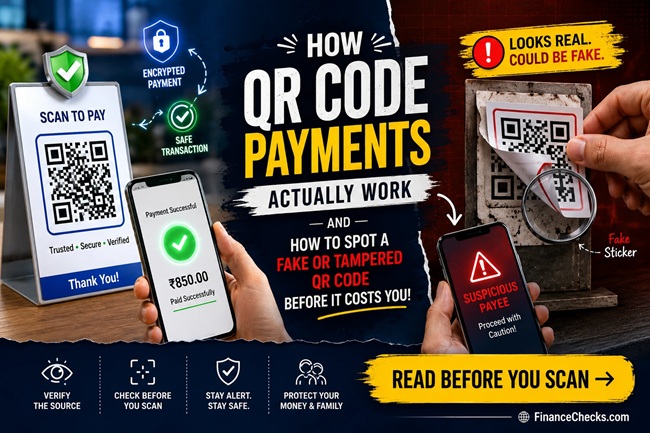
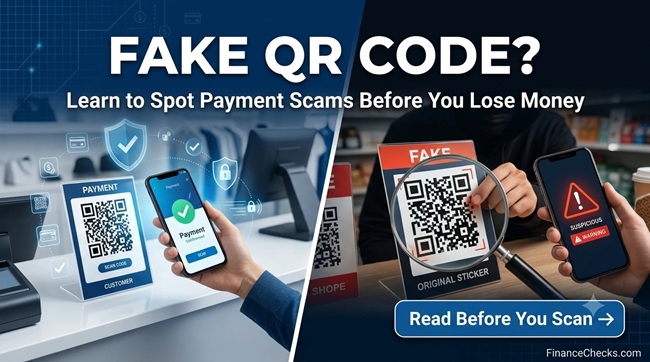
The simplest and most common scam requires nothing more than a printed sticker. A fraudster prints their own UPI QR code and physically sticks it directly over a shop’s, restaurant’s, or parking meter’s genuine code. Customers scan what looks like the store’s usual payment code, and the money goes straight to the scammer instead — often for hours or days before the shop owner notices their expected payments simply aren’t arriving. This has reportedly happened even at branded, well-known outlets in cities like Delhi and Mumbai, not just informal roadside vendors.
2. The “Scan to Receive” Trick (Social Engineering)
This is exactly what happened in our opening story, and it’s especially common on peer-to-peer marketplaces like OLX and Facebook Marketplace, and increasingly through WhatsApp. A “buyer” messages you about something you’re selling, insists on paying an advance, and sends a QR code asking you to scan it to “confirm” or “accept” the payment. Since receiving money never requires scanning anything, this is always a red flag the moment it’s suggested.
3. Quishing (QR Phishing)
Rather than triggering a direct UPI payment, some malicious codes redirect your phone’s browser to a fake, look-alike website — designed to steal your card details, banking credentials, or personal information once you enter them. These are commonly disguised as cashback offers, reward claims, or urgent “account verification” prompts, and increasingly circulate through email, social media, and messaging apps rather than physical stickers.
4. Fake Codes on High-Traffic Public Infrastructure
Parking QR codes, especially, have become a specific target — fraudsters tamper with parking payment signs, redirecting scanners to fraudulent sites that harvest card details rather than actually processing a parking fee. Because these are often standalone signs with no staff nearby to notice tampering, they’re a particularly easy target compared to a staffed shop counter.
How to Actually Spot a Fake or Tampered QR Code
Before scanning a physical code:
- Look closely at the surface. Does the QR code sit flush with the poster, counter, or sign it’s printed on, or does it look like a separate sticker placed on top? A slightly raised edge, a different paper texture, or visible glue marks are all warning signs
- Compare it to your memory of the same spot, if it’s somewhere you’ve paid before. A code that looks different from the one you scanned last time at the same shop is worth a second look
- Check if it’s peeling, crooked, or oddly positioned relative to the rest of the signage — tampering is often done in a hurry and doesn’t always line up neatly
After scanning, before entering your PIN:
- Always check the recipient’s name displayed on your UPI app’s confirmation screen. This is the single most reliable check available to you — every UPI app shows the verified name registered to the UPI ID or account the code points to, right before you confirm payment. If you’re paying “Sharma General Store” and the app shows a completely different or generic-sounding name, stop immediately
- Verify the amount matches what you actually agreed to pay. Fraudulent dynamic codes can sometimes be set with an inflated amount, hoping you won’t check carefully before confirming
- If a URL opens instead of a payment screen, check it carefully before entering anything. A legitimate payment page should use HTTPS and a recognisable, correctly spelled domain — misspelled bank or company names in the URL are a common giveaway
A simple rule that covers almost every scenario: if you’re ever asked to scan a QR code and enter your PIN specifically to receive money, refunds, cashback, or a prize, treat it as a scam without exception. There is no legitimate scenario where this is how UPI works.
What’s Being Done About This: Regulatory Response
This isn’t a problem regulators are ignoring. A few developments worth knowing about:
- NPCI has piloted a “SafePay” verification tick for genuine, verified merchant QR codes in Mumbai, Pune, Delhi, and Bengaluru, with plans to expand to roughly 50 cities by September 2026 — a visual trust marker aimed at helping users distinguish verified merchant codes from potentially tampered ones
- Several states have pushed dynamic QR codes that refresh periodically (as frequently as every 60 seconds) at high-fraud-risk locations like petrol pumps, making static sticker-overlay tampering far less effective
- RBI’s updated authentication framework, effective from 1st April 2026, mandates two-factor authentication for digital payments generally, adding a layer of friction specifically designed to reduce fraud from stolen or misused static credentials
What to Do Immediately If You’ve Already Scanned and Paid a Scammer
If you’ve realised, right after confirming a payment, that you’ve been scammed through a fake or tampered QR code, speed matters enormously:
- Call your bank’s customer care immediately, and separately use the “Report” or “Raise Dispute” option within your UPI app on the specific transaction, to flag the recipient’s account for investigation
- Call the national cybercrime helpline at 1930, or file a complaint at cybercrime.gov.in, as soon as possible. Under RBI’s guidelines on limiting customer liability for digital payment fraud, reporting within the initial window (commonly cited as 3 working days) meaningfully improves your chances of the bank crediting the amount back if the fraud is confirmed
- File a police FIR if the cybercrime portal doesn’t fully resolve it, or if your local station is willing to register cybercrime complaints directly
- Keep every piece of evidence — screenshots of the transaction, the QR code itself if you have a photo, and any chat or message history with the person who sent it — since this is genuinely important for the investigation
- Don’t expect an automatic reversal. Unlike a failed technical transaction, a successfully completed UPI payment to a scammer isn’t reversed automatically. Recovery depends entirely on how quickly authorities can act and, in some cases, freeze the fraudster’s account before funds are withdrawn
Common Mistakes People Make Around QR Codes
- Believing you need to scan something to receive money. This single misunderstanding is behind most QR-based UPI scams — receiving money never requires you to scan a code or enter a PIN
- Not checking the recipient name before confirming payment. This one habit, checking the name shown on the confirmation screen, catches the vast majority of tampered-code scams before the money actually leaves your account
- Assuming a well-known or branded location can’t have a tampered code. Sticker overlays have reportedly been found even at established outlets, not just informal roadside stalls
- Scanning QR codes sent as images or screenshots through WhatsApp or social media from unknown senders. Legitimate merchants display their code physically or through their own verified app interface, not as a random image forwarded in a chat
- Panicking and doing nothing after realising a mistake. Even though QR-based UPI fraud isn’t automatically reversible, reporting quickly through your bank, UPI app, and the 1930 helpline genuinely improves recovery odds compared to waiting
Frequently Asked Questions
1. Can I lose money just by scanning a QR code? No. Simply scanning a QR code with your camera or UPI app doesn’t move any money or steal your data on its own. Money only moves once you’ve reviewed the payment screen and actively entered your UPI PIN to confirm the transaction.
2. Do I need to enter my UPI PIN to receive money? No, never. Entering your UPI PIN always authorises an outgoing payment from your account. If anyone asks you to scan a code and enter your PIN specifically to receive money, a refund, or a prize, it is a scam.
3. How can I tell if a QR code has been tampered with? Look closely for signs it’s a sticker placed over the original — a raised edge, different paper texture, or visible glue marks. Compare it to how the code has looked in the past if it’s a place you’ve paid before, and always verify the recipient’s name on your UPI app’s confirmation screen before entering your PIN.
4. What is “quishing”? Quishing (QR phishing) refers to malicious QR codes that redirect you to a fake website designed to steal your card details, banking credentials, or personal information, rather than directly triggering a UPI payment. These are often disguised as cashback offers or urgent account-verification prompts.
5. What should I do immediately if I scanned and paid a fraudulent QR code? Contact your bank and raise a dispute within your UPI app immediately, call the national cybercrime helpline at 1930 or file a complaint at cybercrime.gov.in, and keep screenshots of the transaction and any related messages as evidence.
6. Is a UPI payment made to a scammer automatically reversed? No. Unlike a failed technical transaction, a successfully completed UPI payment to a fraudulent recipient isn’t reversed automatically. Recovery depends on reporting quickly enough for authorities to potentially freeze the fraudster’s account before the funds are withdrawn.
7. What is the difference between a static and dynamic QR code? A static QR code is fixed and reused repeatedly (like a printed sticker at a shop), always pointing to the same UPI ID, with the amount entered manually each time. A dynamic QR code is generated fresh for each specific transaction, often with the amount pre-filled, and is inherently harder to tamper with since it isn’t reused.
8. Are QR code scams common at branded or well-known stores? They can happen anywhere a physical code is displayed and left unattended, including branded outlets, not just informal vendors. Tampering with a printed code doesn’t require the store’s size or reputation to matter — it only requires an unattended, unmonitored code.
9. What is NPCI’s SafePay verification tick? It’s a pilot programme by NPCI providing a visual trust marker for genuine, verified merchant QR codes, currently rolled out in select cities including Mumbai, Pune, Delhi, and Bengaluru, with plans to expand further by September 2026, aimed at helping users distinguish verified codes from potentially fraudulent ones.
10. If someone sends me a QR code over WhatsApp, is it safe to scan? Treat QR codes received as images or links from unknown senders, especially through WhatsApp or social media, with strong suspicion — this is one of the most common vectors for QR-based fraud, particularly in online marketplace transactions. Only scan physical codes displayed by known merchants or codes generated within official, verified apps.
Final Thoughts
QR code payments genuinely are one of the most convenient things about banking in India today — but that convenience is exactly what fraudsters count on, betting that you’ll scan and confirm faster than you’ll actually check what you’re confirming. The good news is that protecting yourself doesn’t require any technical skill: it comes down to two habits, done consistently. Never scan and enter your PIN to receive money, under any circumstance. And always glance at the recipient’s name on the confirmation screen before you approve a payment, every single time, even at places you trust.
Those two habits, together, would have stopped almost every scam described in this guide before a single rupee moved.
Disclaimer: This article is for general informational and educational purposes only and should not be treated as legal or financial advice. Fraud patterns, regulatory measures, and processes mentioned above are based on publicly available information from NPCI, RBI, and cybersecurity advisory sources current as of the stated dates, and are subject to change as fraud tactics and regulations evolve. If you suspect you’ve been a victim of QR code fraud, please contact your bank and the national cybercrime helpline (1930) immediately, and consult a qualified legal professional if pursuing formal recovery action.

Shuchi founded Finance Checks after spending 16+ years working in corporate, managing operations and distribution. She managed her own finances, learned and read regularly and helped people make sense of their savings, loans, insurance, and investments.
She started this site to offer the kind of clear, honest financial guidance she wished was more available when she was learning to manage her own money. Every article is researched personally, checked against official sources such as the Reserve Bank of India, SEBI, or the Income Tax Department, and revisited whenever regulations or figures change. She is upfront about how the site earns money through ads and select affiliate partnerships, and she does not let either influence what she actually recommends to readers.