
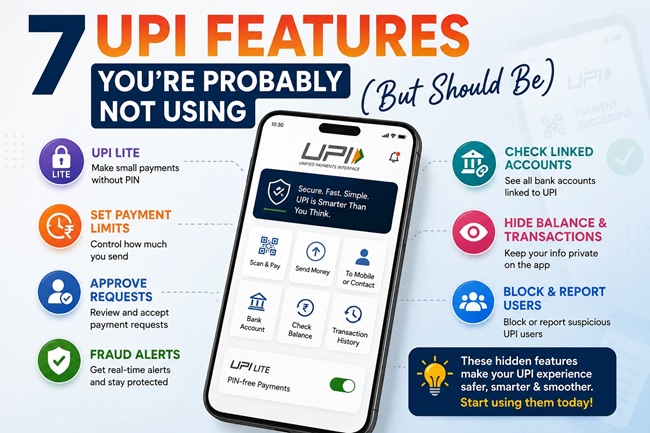
7 UPI Features You’re Probably Not Using (But Should Be)

Kavita has used UPI every single day for the past six years, paying vendors, splitting bills, sending money to family, and yet when a friend mentioned she’d stopped entering her PIN for small payments at her local tea stall, Kavita had no idea what she was talking about. She’d been doing the exact same scan-enter-PIN-confirm routine for six years straight, never realizing the app sitting on her phone had quietly added half a dozen features that could have saved her time, protected her from mistakes, or done more with her money.
This is genuinely common. UPI now processes close to 20 billion transactions a month in India, and the overwhelming majority of users still only ever touch the most basic “scan and pay” function. Here are seven features sitting inside apps you already use, each one solving a real, everyday annoyance most people didn’t know had already been fixed.
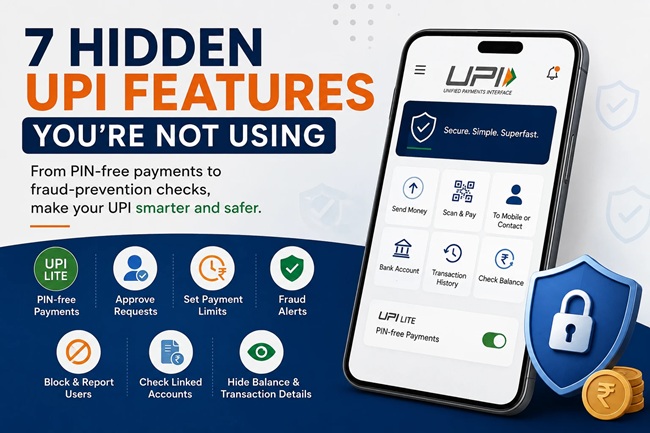
TOP UPI Features
1. UPI Lite: Skip the PIN for Small Payments
Every time you pay 20 rupees for chai, you go through the same routine, open the app, scan, enter your PIN, wait for confirmation. UPI Lite removes that entirely for small transactions. It works like a mini wallet stored inside your UPI app, you load it once from your bank account, and then payments up to 500 rupees per transaction go through instantly with no PIN required, up to a maximum wallet balance of 2,000 rupees at a time.
It’s built specifically for exactly the kind of small, frequent payments that make the PIN step feel like unnecessary friction, tea stalls, metro tickets, small retail purchases, auto fares. Once it’s loaded, transactions also tend to go through faster and with less dependency on network conditions, since the debit happens against your pre-loaded Lite balance rather than a live bank transaction every single time.
2. Payee Name Verification: The Fraud-Prevention Feature Hiding in Plain Sight
This one genuinely matters. Most UPI apps now display the actual registered bank account name of the person you’re about to pay, right before you confirm the transaction, not just the UPI ID or a name they’ve typed into their profile. If you’re sending money to someone and the name that pops up doesn’t match who you think you’re paying, that’s your signal to stop before you confirm.
This single check has quietly prevented a meaningful number of wrong-account transfers and scam payments, precisely because scammers often can’t control what name shows up against their actual bank-registered account. It takes about two extra seconds to glance at before hitting confirm, and it’s one of the simplest habits that meaningfully reduces your risk of a costly mistake.
3. AutoPay With Pause and Cap Controls
Most people know AutoPay exists for subscriptions and bill payments, but far fewer know that newer AutoPay mandates let you set a monthly spending cap and pause specific subscriptions directly from within your UPI app, without having to cancel and re-authorize the mandate from scratch each time.
If you’ve got a subscription you use seasonally, a streaming service you only really watch in December, for instance, you can pause the mandate for the months you don’t need it, rather than either forgetting about it entirely or going through a full cancellation and re-subscription process every time. Setting a cap also protects you from a mandate that quietly increases in amount without your active attention, since anything above your set limit requires fresh authorization.
4. Credit Line and RuPay Credit Card on UPI
This is one of the more genuinely useful recent additions, and also one of the least understood. You can now link a pre-approved credit line, or your existing RuPay credit card, directly to your UPI ID. This means you can make a purchase using credit through the exact same scan-and-pay flow you already use for regular UPI payments, without carrying a physical card or needing a separate checkout process.
For a purchase where you’d rather not touch your savings account balance right now, buying something today and settling the bill after your salary lands, for example, this effectively brings buy-now-pay-later functionality into your everyday UPI habit, using credit you’re likely already eligible for. It’s worth checking your bank’s app to see if this is available to you, since eligibility and rollout still vary somewhat by bank and card issuer.
You May Also Like To Read:
- UPI Fraud: The 7 Scams Costing Indians the Most Money Right Now
- Is UPI About to Stop Being Free? What the Government’s New Rs 2,000 Charge Proposal Really Means
- How QR Code Payments Actually Work — and How to Spot a Fake or Tampered QR Code Before It Costs You
- Sent Money to the Wrong UPI ID? Here’s What Actually Happens Next (The Real Recovery Process)
- UPI and Personal Loans Are Quietly Replacing Credit Cards in Indian Wallets — Here’s What the Data Actually Shows
5. Tap & Pay: Contactless Payments Without Scanning
If you’ve ever fumbled with a QR code at a busy checkout counter, this one’s worth setting up. Tap & Pay uses NFC, the same near-field technology behind contactless card payments, letting you simply tap your phone against an enabled point-of-sale terminal to complete a payment, no QR scanning, and for smaller amounts, often no PIN entry either.
It’s particularly useful at high-footfall spots, metro stations, quick-service restaurants, and retail counters, where the extra seconds saved by not scanning and typing genuinely add up over frequent daily use.
6. A Custom UPI ID That Hides Your Phone Number
By default, many people’s UPI ID is tied directly to their phone number, which means every time you share it to receive a payment, you’re also effectively sharing your number. Most UPI apps let you create a custom UPI ID instead, a chosen name or handle rather than your number, which keeps your phone number private while still giving you a UPI ID you can freely share for payments.
This is a simple one-time setup that’s easy to overlook, but it’s genuinely useful if you’d rather not hand out your personal mobile number every time you’re splitting a bill with someone you’ve just met, or posting a UPI ID publicly for a small business or side project.
7. Using UPI Internationally While Traveling
UPI has expanded beyond India’s borders, and it’s now accepted in a growing list of countries, including the UAE, Singapore, France, and Mauritius, among others, at merchants that support cross-border UPI payments. If you’re travelling to one of these destinations, this can mean paying directly from your Indian bank account through your regular UPI app, without needing to carry a forex card or exchange currency for smaller, everyday purchases.
Coverage is still expanding and isn’t universal within these countries, generally limited to specific merchant tie-ups rather than every shop accepting local payment methods, so it’s worth checking current merchant acceptance for your specific destination before relying on it as your sole payment method while traveling.
These 7 UPI Features at a Glance
| Feature | What It Solves | Where to Find It |
|---|---|---|
| UPI Lite | Skips PIN entry for small, frequent payments | Usually under “UPI Lite” or wallet settings in your app |
| Payee Name Verification | Confirms who you’re actually paying before you confirm | Appears automatically on the payment confirmation screen |
| AutoPay Pause/Cap | Stops you overpaying or forgetting unused subscriptions | Under “Mandates” or “AutoPay” in your app |
| Credit Line/RuPay Card on UPI | Lets you pay on credit through your regular UPI flow | Usually under “Link Credit Card” or “Credit on UPI” |
| Tap & Pay (NFC) | Skips QR scanning at checkout counters | Enable NFC payments in your app’s payment settings |
| Custom UPI ID | Keeps your phone number private | Under “Manage UPI ID” or “Profile” settings |
| International UPI | Lets you pay abroad without a forex card | Check your app for “UPI International” or similar |
About This Guide
This article reflects UPI features and their availability as of 2026, based on NPCI’s ongoing feature rollout across major UPI apps. Specific feature availability, transaction limits, and country coverage for international UPI can vary by bank, app, and merchant, and continue to expand over time. Please check your specific UPI app’s settings and your bank’s current offerings to confirm what’s available to you.
Common Mistakes People Make With These UPI Features
Ignoring the payee name check simply out of habit is probably the most costly oversight on this list, given how quickly it can be glanced at and how directly it protects against wrong transfers and certain scam patterns.
Not setting a cap on AutoPay mandates is another common gap, particularly for subscriptions with variable or promotional pricing that can increase after an initial period, sometimes without the user noticing until reviewing a bank statement much later.
People also frequently assume UPI Lite requires a separate app or account, when it’s actually a built-in feature of the UPI app they’re already using, simply toggled on and loaded with a small balance.
Finally, travelers sometimes assume UPI works uniformly across an entire country once they’ve heard it’s “accepted” there, without checking specific merchant coverage in advance, which can lead to relying on it as a sole payment method only to find a particular shop or restaurant doesn’t actually support it.
My Take on These UPI Features
The gap between what UPI can do and what most people actually use it for has grown wider every year, mostly because none of these features come with a notification loud enough to actually change daily habits. None of the seven above require switching apps or learning something complicated, they’re sitting inside the same app most people already open multiple times a day. The payee name check alone is worth adopting as a permanent habit starting today, given how little effort it takes against how much it protects.
Frequently Asked Questions About UPI Features
1. What is UPI Lite and how is it different from regular UPI payments? UPI Lite is an in-app wallet that lets you make payments up to ₹500 per transaction without entering your UPI PIN, with a maximum balance of ₹2,000 loaded from your bank account, designed for quick, small, everyday purchases.
2. How does payee name verification help prevent fraud? It displays the actual bank-registered name of the person you’re paying before you confirm the transaction, letting you catch mismatched or suspicious accounts before money leaves your account, since scammers typically can’t control what name appears against their real bank account.
3. Can I pause a UPI AutoPay mandate without cancelling it entirely? Yes, many UPI apps now allow you to pause specific AutoPay mandates temporarily and resume them later, without having to go through a full cancellation and re-authorization process.
4. What is Credit Line on UPI? It’s a feature that lets you link a pre-approved credit line or your RuPay credit card directly to your UPI ID, allowing you to make purchases on credit through the same scan-and-pay flow used for regular UPI payments.
5. Does Tap & Pay require entering my UPI PIN? For smaller transaction amounts, Tap & Pay via NFC often doesn’t require PIN entry, though this can vary by app and transaction value, similar to contactless card payment limits.
6. How do I create a custom UPI ID instead of using my phone number? Most UPI apps allow this under profile or UPI ID management settings, letting you choose a custom handle instead of defaulting to your phone number as your shareable UPI ID.
7. Which countries currently accept UPI for international payments? UPI is accepted in a growing list of countries including the UAE, Singapore, France, and Mauritius, among others, though acceptance is generally limited to specific merchant tie-ups rather than universal coverage.
8. Is UPI Lite safe even without a PIN requirement? Yes, UPI Lite is designed with its own balance cap and per-transaction limit specifically to keep risk low even without PIN entry, since the maximum exposure is limited to the small preloaded wallet balance.
9. Do all UPI apps offer these features? Not uniformly. Feature availability, especially for Credit Line on UPI, Tap & Pay, and international payments, can vary by app and by your specific bank’s current rollout, so it’s worth checking your particular app’s settings.
10. Is there an extra cost to using UPI Lite, Tap & Pay, or Credit Line on UPI? Generally, UPI itself remains free for standard peer-to-peer and small merchant transactions. Credit Line on UPI, however, functions like credit, meaning standard interest or repayment terms from your bank or card issuer apply if not repaid within any applicable interest-free period.
Disclaimer
This article is for informational and educational purposes only and does not constitute financial advice. UPI feature availability, limits, and country coverage are determined by NPCI, individual banks, and app providers, and are subject to change. Please refer to your specific UPI app and bank for current feature availability and terms.

Shuchi founded Finance Checks after spending 16+ years working in corporate, managing operations and distribution. She managed her own finances, learned and read regularly and helped people make sense of their savings, loans, insurance, and investments.
She started this site to offer the kind of clear, honest financial guidance she wished was more available when she was learning to manage her own money. Every article is researched personally, checked against official sources such as the Reserve Bank of India, SEBI, or the Income Tax Department, and revisited whenever regulations or figures change. She is upfront about how the site earns money through ads and select affiliate partnerships, and she does not let either influence what she actually recommends to readers.