
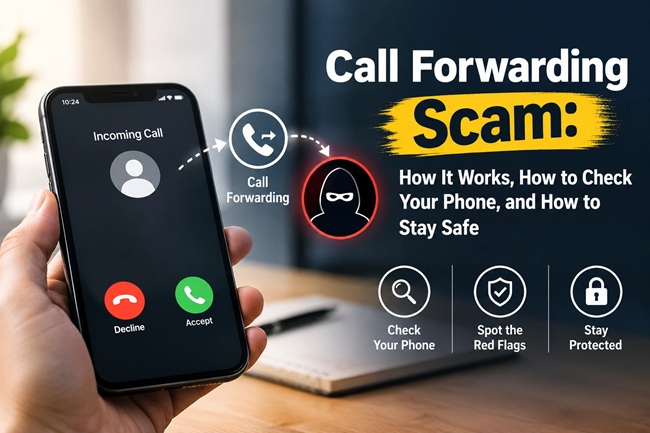
Call Forwarding Scam: How It Works, How to Check Your Phone, and How to Stay Safe

Deepak’s phone rang on a Tuesday afternoon. The caller introduced himself as being from his telecom operator, said there was a network configuration issue affecting Deepak’s SIM, and that a quick fix would sort it out immediately. All Deepak needed to do was dial a short code, followed by a phone number the caller read out, right there on his keypad.
It took eleven seconds. Deepak thanked the “technician,” hung up, and didn’t think about it again.
Three days later, his bank called his wife’s phone instead of his, because his own number wasn’t picking up, to verify a large fund transfer request that had come through on his account. He hadn’t made it. His phone had rung zero times for that verification call, because every single incoming call to his number, including the one meant to stop the fraud, had quietly been rerouted to someone else’s phone since the moment he’d dialed that code.
This is the call forwarding scam, and it’s one of the more dangerous phone frauds circulating in India right now, precisely because it’s invisible while it’s happening. Here’s exactly how it works, how to check right now whether it’s happened to you, and what to do about it.
Quick Answer
The call forwarding scam tricks victims into dialing a code, most commonly 401# followed by a mobile number, that activates unconditional call forwarding on their phone, silently redirecting all incoming calls, including bank verification calls and voice OTPs, to a scammer’s number. The victim’s phone simply stops ringing for those calls, with no alert that anything has changed. You can check whether this has happened to you by dialing #21# from your phone, which displays your call forwarding status. To switch it off, dial ##002# to cancel all forwarding, or go into your phone’s call settings directly. Legitimate telecom providers never ask you to dial a code like this over the phone.
About This Guide
This guide has been researched and written by the FinanceChecks editorial team, based on advisories from the Department of Telecommunications (DoT), the Sanchar Saathi citizen safety initiative, and standard GSM call-forwarding protocols used across Indian telecom networks.
FinanceChecks is an independent Indian personal finance publication focused on fraud awareness and financial safety. Please read the disclaimer at the end of this guide.
Last reviewed: September 2026
How the Scam Actually Works, Step by Step
The mechanics behind this scam rely on a legitimate telecom feature, call forwarding, being activated through social engineering rather than any technical hacking. No malware, no phishing link, no app installation. Just a phone call and a keypad.
Step 1: The pretext call. A scammer calls, posing as a representative of your telecom operator, a delivery or courier company, or occasionally a bank. Common stories include a supposed SIM card issue, a network quality problem requiring a “quick fix,” a pending parcel delivery that needs “confirmation,” or an account verification requirement.
Step 2: The instruction to dial a code. The caller asks you to dial a specific sequence on your phone’s keypad, most commonly reported in India as *401# followed immediately by a 10-digit mobile number, which the caller reads out to you. They’ll frame this as necessary to resolve whatever problem they’ve invented, fix the network issue, confirm the delivery, verify your SIM.
Step 3: Unconditional call forwarding activates, silently. The moment you dial that sequence and it connects, unconditional call forwarding switches on for your number. Every single incoming call to your phone from that point forward gets redirected to the number the scammer provided, which is either their own phone or one controlled by an accomplice.
Step 4: Nothing visibly changes on your end. This is what makes the scam genuinely dangerous rather than merely annoying. Your phone doesn’t ring for forwarded calls. There’s no persistent banner, no repeated notification, nothing that actively tells you your calls are being rerouted elsewhere. Many victims only discover it days or weeks later, if at all, usually because someone mentions they couldn’t reach them, or because of exactly the kind of incident that happened to Deepak.
Step 5: The scammer exploits the access. With your incoming calls now landing on their phone, a scammer can intercept voice-based OTP calls used to authorise high-value bank transactions, receive calls meant to verify sensitive account changes, and in some cases gather enough information to attempt further fraud, all while your phone stays completely silent.
Why This Particular Scam Is So Effective
Most phone and SMS-based frauds rely on urgency and pressure in the moment, rushing a victim into transferring money or sharing an OTP right then and there. This scam works differently, and that’s precisely what makes it more dangerous in some respects. It doesn’t ask for anything sensitive at all during the call itself, no OTP, no PIN, no bank details, which makes it feel completely harmless to the person dialing the code. The actual exploitation happens later, disconnected from the original call by days or even weeks, which makes the two events, the call and the eventual fraud, feel unrelated even to a cautious person.
It also specifically targets a channel many people don’t think to guard: voice calls. Most fraud awareness content focuses heavily on SMS OTPs, phishing links, and suspicious apps. A growing number of high-value transaction verifications, particularly for larger bank transfers, still rely on a voice call rather than a text message, and that’s exactly the channel this scam hijacks.
How to Check Right Now If Call Forwarding Is Active on Your Phone
This takes less than a minute and works on both Android and iPhone, since it relies on a universal GSM network code rather than a phone-specific setting.
Check unconditional call forwarding status: Open your phone’s dialer and type *#21#, then press the call button. Your phone will display whether unconditional call forwarding is currently active, and if so, the number your calls are being forwarded to.
Check other types of call forwarding too, since scammers sometimes use a conditional variant to stay less noticeable:
- *#61# checks call forwarding when you don’t answer
- *#62# checks call forwarding when your phone is unreachable or switched off
- *#67# checks call forwarding when your line is busy
Alternatively, check through your phone’s settings directly. On most Android phones: Phone app → Menu (three dots) → Settings → Calling accounts → Call forwarding. On iPhone: Settings → Phone → Call Forwarding. If forwarding is switched on and you don’t recognise the number it’s pointing to, or don’t remember ever enabling it yourself, treat that as a serious red flag.
How to Disable Call Forwarding If You Find It’s Active
If you discover forwarding has been enabled without your knowledge, act immediately.
- Cancel all call forwarding instantly by dialing ##002# and pressing call. This is a universal GSM code that switches off every type of call forwarding on your line in one step.
- Alternatively, turn it off manually through your phone’s call settings menu, toggling call forwarding to off.
- Change your net banking and UPI app passwords or PINs as a precaution, particularly if you’re not certain how long forwarding may have been active.
- Contact your bank to flag your account for closer monitoring, especially if any unusual transaction attempts have occurred recently.
- Contact your telecom operator’s customer care to confirm the forwarding has actually been switched off on their end, and to ask whether anything else looks unusual on your account.
How to Avoid Falling For This Scam in the First Place
Never dial a code given to you by an unsolicited caller, no matter how official they sound. Telecom operators do not call customers and instruct them to dial specific USSD codes to fix network, SIM, or account issues. The Department of Telecommunications has explicitly and repeatedly warned that no legitimate telecom provider does this.
Be suspicious of any urgent “fix it now” framing tied to a keypad action. Genuine technical issues with your SIM or network are resolved by the operator on their end, not by you dialing a special code while someone stays on the line watching it happen.
Don’t treat “it’s just a code, not my OTP or PIN” as automatically safe. This scam’s entire design relies on that exact assumption. The code itself doesn’t look sensitive, which is precisely why people dial it without hesitation.
Periodically check your own call forwarding status even without a specific trigger, the way you might periodically check your bank statement. It costs nothing and takes under a minute.
If a call claims to be from a courier, delivery service, or e-commerce platform asking you to dial a code to “confirm delivery,” treat it with the same suspicion as a bank impersonation call. This exact pretext has been widely reported as one of the more common framings used in this scam.
Where to Report It
If you receive a suspicious call asking you to dial a forwarding code, or you discover forwarding was activated without your consent, you can report it through Chakshu, a facility under the government’s Sanchar Saathi platform specifically built for reporting suspected fraud communications received by call, SMS, or WhatsApp. Reports can be filed at sancharsaathi.gov.in, generally within 30 days of receiving the communication, and don’t require that any financial loss has actually occurred, Chakshu is designed specifically to catch these attempts early.
If money has already been fraudulently moved out of your account as a result of this scam, report it immediately to the National Cyber Crime Reporting Portal at cybercrime.gov.in, or call the national cyber fraud helpline at 1930, and contact your bank right away, since faster reporting significantly improves the chance of freezing or reversing a fraudulent transaction.
Common Mistakes People Make Around This Scam
Assuming that if a call doesn’t ask for an OTP or password, it must be harmless. This scam’s entire premise is built on exploiting exactly this assumption.
Not checking call forwarding status periodically, and only discovering it after something has already gone wrong. A one-minute check with *#21# costs nothing and can catch the problem before real damage occurs.
Dialing a code read out over the phone without independently verifying what it actually does. If a caller instructs you to dial anything at all, hang up and verify independently, through your operator’s official app or customer care number, before doing it.
Ignoring unusual patterns, like a bank verification call reaching a family member instead of you. As happened with Deepak, this is often the first real sign something has gone wrong, and it’s worth investigating immediately rather than dismissing as a technical glitch.
Assuming this only affects people who aren’t tech-savvy. The scam succeeds specifically because it doesn’t require the victim to be careless with sensitive information, just willing to follow a simple instruction from someone posing as an authority figure.
My Take
I think what makes this particular scam worth taking seriously isn’t its sophistication, it’s actually a remarkably simple trick, it’s the gap between the action and the consequence. Deepak dialed a code on a random Tuesday afternoon and didn’t think about it again for three days. That gap is exactly what most fraud-awareness advice doesn’t prepare people for, because we’re generally trained to be suspicious in the moment something asks for money or an OTP directly. This scam asks for neither, and cashes in the damage later, disconnected enough from the original call that most people never connect the two events at all.
The fix here is genuinely simple, and that’s part of what makes it worth actually doing rather than just reading about: checking *#21# takes less time than reading this paragraph. I’d suggest treating it the way you might treat a smoke detector battery check, not something you do because you suspect a problem right now, but something you do periodically precisely because the problem is silent until it isn’t.
My honest, practical advice: the single rule that would have stopped this entire scam before it started is refusing to dial any code an unsolicited caller reads out to you, regardless of how official, urgent, or harmless the framing sounds. No legitimate telecom operator, courier company, or bank needs you to dial anything on their behalf over a phone call. If someone insists you must, that insistence is itself the clearest signal something is wrong.
Frequently Asked Questions
1. What is the call forwarding scam?
It’s a fraud where a scammer, posing as a telecom representative, courier, or bank official, convinces a victim to dial a specific code, commonly *401# followed by a phone number, which silently activates unconditional call forwarding, redirecting all the victim’s incoming calls, including bank verification calls, to the scammer’s number.
2. How do I check if call forwarding is active on my phone?
Dial *#21# and press call. Your phone will display whether unconditional call forwarding is switched on, and if so, which number your calls are being redirected to. You can also check through your phone’s call settings menu directly.
3. How do I turn off call forwarding if I find it’s been activated?
Dial ##002# and press call to cancel all types of call forwarding immediately, or turn it off manually through your phone’s call settings.
4. Will I get any notification if someone activates call forwarding on my number?
Generally, no. This is exactly what makes the scam dangerous. Once activated, forwarded calls simply don’t ring on your phone, with no ongoing alert or notification that anything has changed.
5. Can this scam access my bank account directly?
Not directly through the call forwarding itself, but it can intercept voice-call OTPs and bank verification calls that would otherwise reach you, which scammers can then use to authorise fraudulent transactions or changes to your account.
6. What pretexts do scammers commonly use for this scam?
Common framings include a fake SIM card or network issue requiring a “fix,” a supposed parcel or courier delivery needing “confirmation,” and occasionally impersonation of bank customer service. All of these are designed to make dialing the code feel routine and harmless.
7. Do telecom companies ever legitimately ask customers to dial such codes?
No. The Department of Telecommunications has explicitly stated that telecom service providers never ask subscribers to dial codes like *401# over a phone call to fix an issue. Any call instructing you to do so should be treated as suspicious.
8. Where can I report a suspected call forwarding scam attempt in India?
Through Chakshu, a facility on the government’s Sanchar Saathi portal (sancharsaathi.gov.in), designed specifically for reporting suspected fraud communications, even where no financial loss has occurred yet.
9. What should I do if money has already been fraudulently taken from my account because of this scam?
Contact your bank immediately, and report the incident to the National Cyber Crime Reporting Portal at cybercrime.gov.in or call the helpline number 1930 as soon as possible, since faster reporting improves the chances of recovering or freezing the fraudulent transaction.
10. Is checking call forwarding status something I should do regularly, or only if I suspect a problem?
It’s worth checking periodically regardless, since the scam produces no ongoing symptoms once activated. A quick *#21# check every so often costs nothing and can catch an unauthorised forwarding setup before it’s exploited.
Key Takeaways
- The call forwarding scam tricks victims into dialing a code, commonly *401# followed by a number, that silently redirects all their incoming calls, including bank verification calls, to a scammer.
- The scam is dangerous precisely because it doesn’t ask for an OTP, PIN, or password directly, and produces no visible alert once activated.
- Check your call forwarding status anytime by dialing *#21#; disable all forwarding immediately with ##002#.
- No legitimate telecom operator, courier service, or bank will ever ask you to dial a code over a phone call to fix an issue.
- Report suspected fraud attempts through Chakshu on the Sanchar Saathi portal, and report actual financial loss to cybercrime.gov.in or the 1930 helpline immediately.
- A periodic, no-cost check of your call forwarding status is one of the simplest fraud-prevention habits available, since this scam otherwise leaves no ongoing symptoms to notice.
Disclaimer
The information provided in this article is for educational and informational purposes only and is intended to raise awareness about a specific type of telecom fraud.
FinanceChecks.com is not a government agency, telecom operator, or law enforcement body, and cannot investigate individual fraud cases or recover lost funds. The scam mechanics, official reporting channels, and codes described in this article reflect information available as of September 2026; specific USSD codes can occasionally vary slightly between telecom operators, so if a code doesn’t work as described, check with your operator’s official app or customer care.
If you believe you have been a victim of this or any other financial fraud, please contact your bank immediately and report the matter to the National Cyber Crime Reporting Portal (cybercrime.gov.in) or the 1930 helpline without delay.
FinanceChecks.com and its authors accept no liability for any loss arising from reliance on the information presented in this article.

Shuchi founded Finance Checks after spending 16+ years working in corporate, managing operations and distribution. She managed her own finances, learned and read regularly and helped people make sense of their savings, loans, insurance, and investments.
She started this site to offer the kind of clear, honest financial guidance she wished was more available when she was learning to manage her own money. Every article is researched personally, checked against official sources such as the Reserve Bank of India, SEBI, or the Income Tax Department, and revisited whenever regulations or figures change. She is upfront about how the site earns money through ads and select affiliate partnerships, and she does not let either influence what she actually recommends to readers.