

What Hyderabad Police warned, what experts say is still unproven, and the 60-second safety check | By Shuchi, FinanceChecks.com | Published 27 October 2026 | Category: Banking Insurance and Loans (Fraud Awareness) | Reading time: about 10 minutes
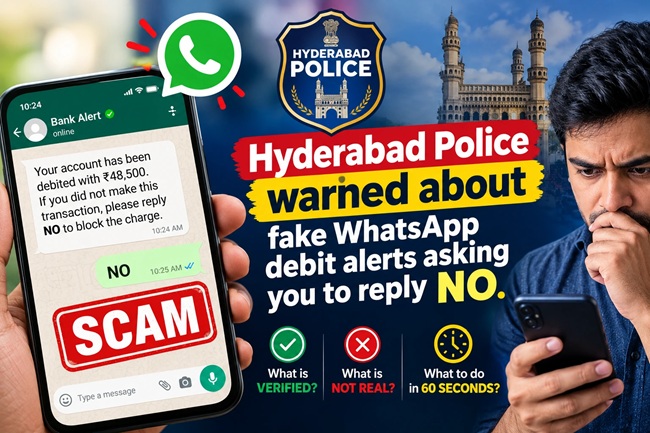
Imagine Meena, a 52-year-old school clerk in Nagpur, whose phone buzzes at 8:40 on a Tuesday night. The WhatsApp message is from an unknown number: “Rs 48,500 has been debited from your bank account.” She has just paid her daughter’s coaching fees, so her stomach drops. A second message follows within seconds: “If you did not authorise this transaction, reply NO.”
Meena has never shared an OTP in her life. There is no link, no file, no phone number to call. All she is asked to do is type two letters. Her thumb is already moving.
This is exactly the scenario that Hyderabad’s police chief described in a public warning in mid-October 2026, and it has since spread across news feeds with a frightening headline: replying “NO” can empty your bank account. Is that true? The honest answer is more nuanced, and understanding the nuance is what keeps you safe. This guide explains what police actually said, which parts of the story are unproven, how a scam like this could really cost you money, and what to do in the first 60 seconds.
Quick Answer
Hyderabad City Police Commissioner V C Sajjanar warned that scammers are sending fake bank debit alerts on WhatsApp from unknown numbers, followed by a message telling you to reply “NO” if you did not authorise the transaction. He advised people not to reply YES or NO to such messages and to check their account only through the bank’s official app, net banking site or verified customer care number. As reported, he also said hidden malware activates once the reply is sent, but several outlets note that the claim that a single “NO” reply automatically drains a bank account has not been independently verified. The practical danger is real regardless: the reply tells the scammer your number is active and that you respond to panic, and the follow-up calls, links, files or app requests are where money is lost. Do not reply, check your bank app, then block and report the sender.
About This Guide
This article is written by the editorial desk of FinanceChecks.com, an independent Indian personal finance publication, for ordinary bank customers. It is based on reports published in October 2026 by Free Press Journal, Business Today (as cited by other outlets), Digit, Digital Terminal, Indian Masterminds and The420.in about the Hyderabad Police warning. I have separated what the police said, what media outlets have said cannot be confirmed, and what is my own explanation of how such a scam could work. I have not been able to confirm the number of victims or any individual loss figure. This is educational content and not legal or cybersecurity advice.
What the Police Actually Said
According to reports, Hyderabad City Police Commissioner V C Sajjanar shared the warning in a video on X. The key points are these.
The fraud begins with a WhatsApp message from an unknown number claiming that money has been debited from the recipient’s bank account. A second message then tells the person to reply “NO” if they did not authorise the transaction. Sajjanar said the scam involves no OTP request and no suspicious link, and depends on panic to prompt a hurried reply. As reported, he also said malware hidden in the messages activates once the reply is sent, giving criminals access to the phone and financial information.
His advice was clear: do not reply YES or NO to messages about bank transactions from unknown numbers. Check your account through the bank’s official app or net banking website, or call the bank’s verified customer care number. Anyone who has lost money should report it quickly.
What Is Verified and What Is Not
This is the part most viral posts skip, and it matters.
| Claim | Status |
|---|---|
| Fraudsters are sending fake WhatsApp debit alerts to unknown people | Reported by police and widely covered |
| The message tells you to reply “NO” if you did not authorise the payment | Part of the sequence the police described |
| There is no OTP request and no link in the first messages | As described by the police |
| Replying “NO” automatically installs malware and drains the account | Not independently verified. Several outlets state this directly |
| A reply makes you a more valuable target | A reasonable concern, since it confirms your number is active and that you respond to alarming messages |
| Following the instructions in follow-up messages or calls can cost you money | Consistent with how similar frauds work, and well documented in other cases |
Digital Terminal wrote that the claim that simply replying “No” activates malware or empties a bank account is not established by the information provided. Indian Masterminds said that replying to a text message does not, by itself, establish that malware has been installed or that a bank account has been compromised. The420.in described the claim as technically unverified. I agree with their caution, and I also agree with the police that you should not reply. Both things can be true.
You May Also Like To Read About:
- ₹14 Crore Banking Fraud: 187 Unauthorised Transfers Reported — Is UPI the Next Target?
- ICICI Bank Cash Deposit and Withdrawal Charges From 1 December 2026: Old vs New Rates, Free Limits and Other Changes
- Never Google a Bank’s Customer Care Number: SBI’s Warning and How to Stay Safe
- Government Plans to Cut Stakes in 4 PSU Banks to 75%: Is Privatisation Next After IDBI Bank?
- SBI Data Leak: 3,897 Customer Records Found on the Dark Web. What Happened and What You Should Do Now
How a Scam Like This Could Actually Cost You Money
The police did not publish a full technical breakdown, so what follows is my explanation of the realistic routes, based on how similar fake alert scams have worked in India. It is analysis, not a confirmed description of this specific case.
| Stage | What happens | Why it works |
|---|---|---|
| 1. The scare | A fake debit message arrives from a random number | You see a large sum and your pulse jumps |
| 2. The prompt | You are told to reply “NO” if the payment is not yours | It looks harmless and it looks like a cancellation |
| 3. The confirmation | Your reply tells the scammer your number is live and that you respond quickly | You move from a random number to a warm lead |
| 4. The follow-up | Within minutes, a call or message arrives from a “bank fraud team”, sometimes with a link, a PDF or an app file to “reverse the transaction” | The earlier panic makes you ready to trust a helper |
| 5. The ask | You are asked to share an OTP, install a screen-sharing app, open a link and log in, or move money to a “safe account” | This is the step that actually empties accounts |
There is also the question of malware. A text reply by itself does not normally install anything on a phone. Malicious links, attachments and app files can, and those usually come in the follow-up. Very advanced attacks that need no user action have existed on messaging apps, but they are rare, expensive and aimed at specific people, which is why keeping WhatsApp and your phone updated is sensible. For most of us, the realistic risk is the human one: the second step.
Real Bank Alert or Fake? A Quick Comparison
| Feature | A genuine bank alert | A fake WhatsApp debit alert |
|---|---|---|
| Sender | The bank’s registered SMS sender name, the bank app or an email from the bank’s official domain | A random mobile number, or a profile that only looks like a bank |
| Where you can confirm it | The transaction appears in your bank app, net banking or passbook | There is no matching transaction anywhere |
| What it asks | Usually nothing. It may mention a helpline | Asks you to reply YES or NO, call a number, click a link or open a file |
| Tone | Plain information | Urgent and alarming |
| Account details | Partial account or card digits, merchant, date | Vague or wrong details |
One more point. Some banks run official WhatsApp banking services through a verified business account that you chose to use. An unknown personal number that messages you first is not one of those.
Your 60-Second Safety Check
If you get a “money debited” message on WhatsApp from a number you do not know, do this in order.
- Do not reply, not even “NO”, “YES” or “STOP”.
- Do not tap any link, open any file or call any number in the message.
- Open your bank’s official app or net banking site, typed or opened by you, and check your transactions.
- If there is no such debit, it is a fake. Open the chat, tap Report, and block the number.
- If there is a real unexpected debit, call your bank using the number printed on your card, passbook or the bank’s official website, and ask them to block your card and UPI.
- If money has actually gone, call 1930 and file a complaint at cybercrime.gov.in at once.
If You Have Already Replied
Replying alone is not a sign that your account has been emptied. Stay calm, and do these checks.
- Check your bank app for any debit or any new beneficiary you did not add.
- Do not answer calls from anyone claiming to be from the bank about this message. If one arrives, hang up and call the bank on its official number.
- Check your phone for apps you did not install. On Android, review which apps have accessibility, device admin or display-over-other-apps permissions and remove anything you do not recognise.
- Run your phone’s built-in security scan, and update WhatsApp and your phone software.
- Switch on two-step verification in WhatsApp and change your banking passwords if you have any doubt.
- Keep screenshots of the messages and the sender’s number as evidence.
- If you did click a link, open a file, install an app, share an OTP or move money, call your bank right away, then 1930, and file at cybercrime.gov.in. Speed matters most.
WhatsApp Settings to Change Today
These take a couple of minutes and cut down your exposure.
- Turn on two-step verification, under Settings, Account, Two-step verification.
- Switch on the setting to silence unknown callers, under Settings, Privacy, Calls.
- Limit who can add you to groups to your contacts, under Settings, Privacy, Groups.
- Use Report and Block on any unknown number that sends you a financial message.
- Be careful with media that downloads automatically, and never install an app file sent to you in chat.
Try This 10-Second Test
Ask yourself these four questions. If you answer yes to any one, stop.
- Is the sender a number I do not know?
- Is it asking me to reply YES or NO, call a number or click something?
- Does my bank app show no matching debit?
- Does it make me feel I must act in the next minute?
Common Mistakes to Avoid
The common mistakes are replying “just to be safe”, calling the number in the message, tapping a link to “see the details”, trusting a message because the amount and your fear feel real, and checking the transaction by asking the sender instead of your own bank app. Another mistake is the opposite one: assuming a reply is harmless, or assuming the story is a hoax because a technical claim is unproven. Both lead to the same unsafe habit. The rule is simple. A message you did not expect, from a number you do not know, about your money, is not a conversation you should join.
My Take
I think this episode shows how a warning can go viral faster than the facts behind it. The headline that one reply can empty your account is scary, shareable, and so far unproven. But if people stop at “that’s just a hoax”, they miss the real lesson.
What these scammers are selling is panic. The first message is designed to make you stop thinking. Whether the “NO” itself does anything technical is almost beside the point, because it moves you from a random target to someone who answers. Once you are in a conversation, the real tools come out: a friendly “bank officer”, a link, an app, an OTP.
So the best defence is a habit, not a gadget. When a financial message surprises you, put the phone down, open your bank app yourself, and let your bank tell you what happened to your money. If your parents or relatives use WhatsApp, share this with them tonight. They are more likely to panic and less likely to tell anyone.
Frequently Asked Questions
1. What is the WhatsApp “reply NO” scam? It is a scam in which a fake WhatsApp message from an unknown number claims money has been debited from your bank account, and a second message tells you to reply “NO” if you did not authorise it. Hyderabad Police warned about it in mid-October 2026.
2. Can replying “NO” really empty my bank account? That has not been independently verified. Several outlets say a single text reply does not by itself prove malware was installed or an account was compromised. But the reply can lead to follow-up calls, links or app requests that do cause losses, so you should not reply.
3. Who issued the warning? Hyderabad City Police Commissioner V C Sajjanar, in a video on X, as reported by Business Today, Free Press Journal and others.
4. What should I do if I get a fake debit alert on WhatsApp? Do not reply or click anything. Check your account in your bank’s official app or net banking site, then report and block the sender in WhatsApp. If a genuine unexpected debit appears, call your bank using the number on your card.
5. I already replied “NO”. Is my money in danger? Not necessarily. Check your bank app, update your phone and WhatsApp, remove any unknown apps, enable two-step verification and ignore any follow-up call from a “bank”. If you clicked a link, installed an app or shared an OTP, call your bank and 1930 immediately.
6. Do banks send debit alerts on WhatsApp? Banks send alerts by SMS from a registered sender name, through their app and by email. Some offer official WhatsApp banking through a verified business account that you opt into. A random personal number that messages you first is not your bank.
7. How do I verify a debit alert? Open your bank’s official app or net banking website yourself, or check your passbook, and look at the transaction history. Do not use any link or number from the message.
8. How do I report this scam? Report and block the sender in WhatsApp, call 1930 if you have lost money, and file a complaint at cybercrime.gov.in. Keep screenshots and the sender’s number.
9. Can WhatsApp messages install malware on my phone? A plain text message does not normally do so. Links, attachments and app files can. Very advanced attacks that need no action from the user have existed but are rare and targeted, so keep WhatsApp and your phone updated.
10. How can I protect my family from fake bank alert scams? Teach them one rule: never reply to or click anything in a surprise money message. Check the bank app yourself, save the bank’s real number in their phone, and set up WhatsApp’s two-step verification and unknown-caller silencing.
Disclaimer
This article is for general information and education only. It is not legal, financial or cybersecurity advice. The reported scam is based on public statements by police and media coverage, and some technical claims about it are unverified. Contact your bank and the police immediately if you suspect fraud or have lost money. Phone numbers, portals and app settings may change.
Sources Consulted
Free Press Journal, “Replying ‘No’ On WhatsApp Could Empty Your Bank Account, Hyderabad Police Warns” (October 2026). Business Today’s report as cited by Free Press Journal. Digit, “WhatsApp scam alert: Replying No to a message can cost your entire life savings.” Digital Terminal, “WhatsApp Users Alert! ‘No’ Reply to Fake Bank Alerts Could Put Your Money at Risk” (15 October 2026). Indian Masterminds, “WhatsApp Scam Alert: Hyderabad Police Chief V.C. Sajjanar Warns Against Replying ‘NO’ to Fake Bank Alerts.” The420.in, “Hyderabad Police Warn Against WhatsApp Bank Alerts, But ‘NO’ Attack Claim Remains Unverified.”

Shuchi founded Finance Checks after spending 16+ years working in corporate, managing operations and distribution. She managed her own finances, learned and read regularly and helped people make sense of their savings, loans, insurance, and investments.
She started this site to offer the kind of clear, honest financial guidance she wished was more available when she was learning to manage her own money. Every article is researched personally, checked against official sources such as the Reserve Bank of India, SEBI, or the Income Tax Department, and revisited whenever regulations or figures change. She is upfront about how the site earns money through ads and select affiliate partnerships, and she does not let either influence what she actually recommends to readers.



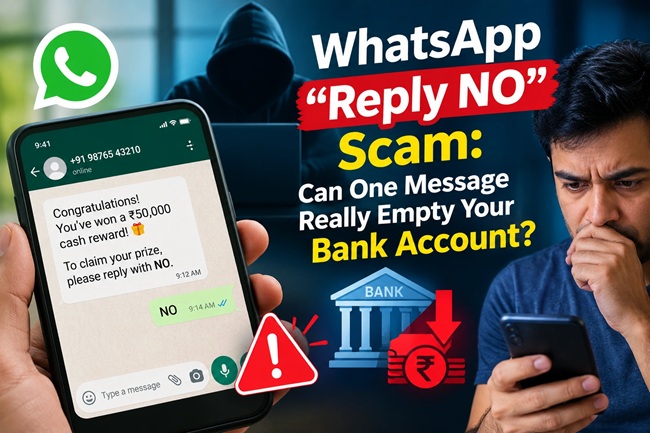
[…] WhatsApp “Reply NO” Scam: Can One Message Really Empty Your Bank Account? […]