
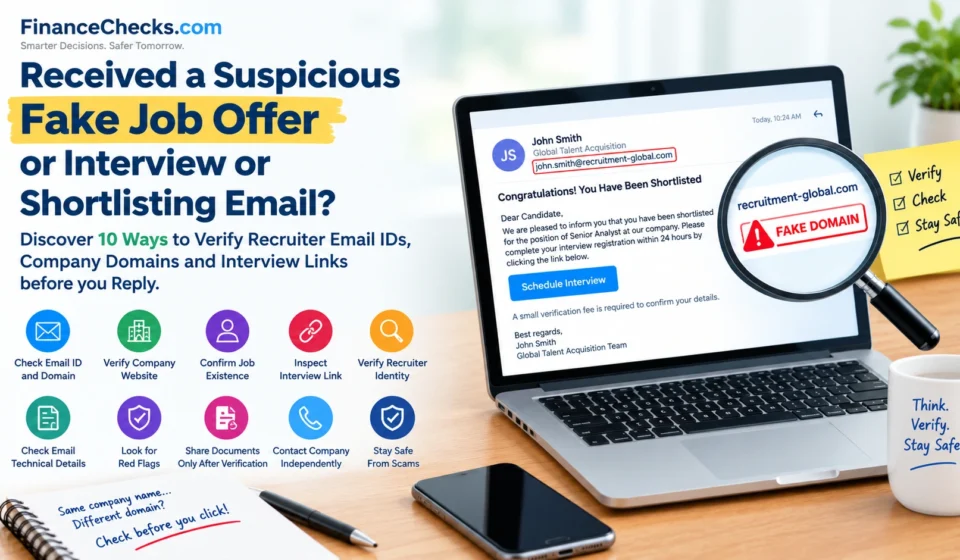

Imagine receiving an email that says you have been shortlisted for a senior position at Google, Amazon, Microsoft, or another well-known multinational company. The sender has a foreign-sounding name, the email contains the company’s logo, and the message promises an attractive salary.
It sounds like a great career opportunity. But there is one catch: you are asked to click an interview link, upload your documents, pay a small verification fee, or contact an HR manager on WhatsApp.
Should you trust the email?
Not so quickly.
Fake job interview calls, fraudulent recruitment emails, and impersonation scams can target experienced professionals as well as freshers. Scammers may use real company names, copied logos, convincing job descriptions, and names that sound like those of international recruiters to make their messages appear genuine.
Delhi Police has warned that fraudsters can use information from job portals and CVs to send personalised messages impersonating employers or recruitment consultancies. Victims may then be asked to pay registration, document-verification, or interview-scheduling fees.
The good news is that a few simple checks can help you identify warning signs before you respond.
In this guide, we explain 10 ways to verify a job offer email, check a recruiter’s email ID and company domain, inspect interview links, and protect yourself from recruitment fraud in India.
What Is a Fake Job Offer Email?
A fake job offer email is a fraudulent message that pretends to come from a company, recruiter, HR manager, staffing agency, or hiring team.
The objective may be to steal money, collect personal information, capture login credentials, or persuade the recipient to install malicious software.
These emails may claim that you have been shortlisted for a job, selected without an interview, invited to an urgent assessment, or offered an international position with an unusually attractive salary.
Some messages impersonate major companies, while others use unfamiliar business names that are difficult to verify.
Remember: A professional-looking email is not proof that a job opportunity is genuine. Equally, an unfamiliar recruiter or a foreign name does not automatically mean that the offer is fraudulent. You need to verify the sender, the employer, the vacancy, and the requested action.
You May Also Like To Read About:
- Online Scams in India 2026: 67% Get No Money Back—Shopping, Job and Lottery Fraud Warning
- Festive Sale Scams in India: How Fraudsters Target People Hunting for Cheap Deals, and How to Stay Safe
- SBI Warns of UPI Fraud: How the ‘Jumped Deposit Scam’ Can Drain Your Bank Account
- SMS Fraud Alert: How to Tell a Genuine Bank Message From a Scam
- Deepfake KYC Fraud Is Here: How Scammers Are Using AI to Open Accounts in Your Name
10 Ways to Verify a Recruiter Before You Reply
1. Check the Complete Email Address, Not Just the Recruiter’s Name
One of the easiest mistakes is trusting the display name shown in your inbox.
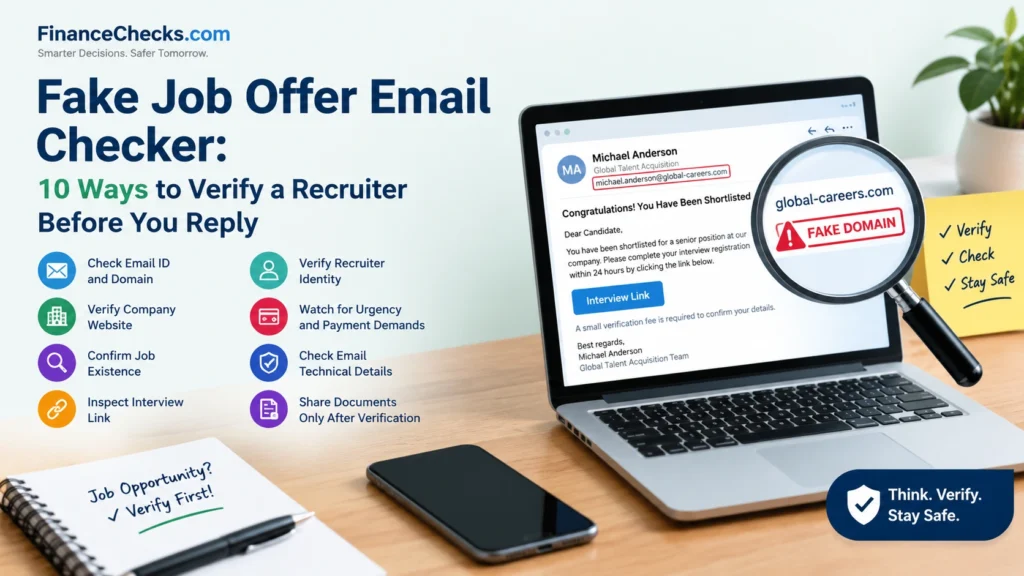
An email might display a name such as “John Smith – Global Recruitment” or “Michael Anderson – Talent Acquisition.” However, the actual email address may belong to an unrelated domain.
For example, consider these illustrative addresses:
john.smith@gmail.comcareers@amazon-careers-example.comrecruitment@company-careers.example
These examples are not verified recruiter addresses. They demonstrate why the full sender address matters.
If an email claims to represent a major company, check the domain after the @ symbol. Does it match the domain used on the company’s official website?
Be particularly cautious about:
- Misspelled company names.
- Extra words added to the domain.
- Unrelated personal email accounts used to represent a large employer.
- Domains that resemble an established brand but belong to a different website.
- Sender names that do not match the email address.
A Gmail, Outlook, or Yahoo address is not proof of fraud in every situation. Independent recruiters and smaller businesses may legitimately use different email arrangements. However, an unexpected personal email address claiming to represent a major company deserves additional verification.
2. Verify the Company Domain Independently
Never assume that a website is genuine just because its name contains the name of a famous company.
Suppose an email claims to be from a recruiter at a large technology company. Instead of clicking the link in the message, open a new browser tab and type the company’s official website address yourself.
Then:
- Find the Careers or Jobs section.
- Search for the advertised role or job ID.
- Check whether the company has published the vacancy.
- Review the official recruitment process.
- Look for an official recruitment-fraud warning or verification channel.
Pay attention to the exact domain spelling. Fraudsters may use additional words, substituted letters, or misleading subdomains to make a website appear authentic.
For example, careers.company.example and company.example.careers-site.test have different registered domains, even though both contain the word “company.”
Important: A website’s appearance, logo, and HTTPS padlock cannot independently establish that the organisation behind it is genuine.
3. Check Whether the Job Actually Exists
Did you apply for the position, or did the opportunity arrive unexpectedly?
If you receive a shortlisting email for a job you never applied for, pause before sharing any information.
Search for the exact job title on the employer’s official careers website. If the message includes a requisition number or job ID, check that too.
Ask yourself:
- Is the position listed on the company’s official careers page?
- Does the job description match the email?
- Does the advertised location make sense?
- Are the qualifications and experience requirements realistic?
- Can the employer independently confirm the vacancy?
Some recruiters legitimately source candidates who have not applied directly. Therefore, an unsolicited approach is not automatically fraudulent. It is a reason to verify the opportunity before proceeding.
4. Inspect the Interview Link Before Clicking
A common recruitment scam involves sending candidates to a fake interview portal, assessment page, or login screen.
The message may ask you to schedule an interview, download an assessment application, log in with your Microsoft or Google account, or install a video-meeting tool.
Before opening a link, inspect its destination.
On a computer: Move your mouse over the link without clicking. Your browser or email client may display the destination URL.
On a phone: Use the available link-preview options without opening the page.
Check whether the destination matches the employer’s official domain or a recruitment platform independently confirmed by the employer.
Watch out for:
- Shortened links that conceal the destination.
- Misspelled website addresses.
- Unrelated domains.
- Unexpected requests to sign in using your work or personal email.
- Requests to download software from an unknown website.
- Requests to enable unusual browser permissions or install remote-access applications.
Some legitimate companies use third-party interview platforms. The key is to confirm the platform through an independent channel before entering credentials or downloading anything.
5. Do Not Trust a Recruiter Just Because They Use a Foreign Name
This is an important point for job seekers receiving messages from supposed international hiring managers.
A recruiter may introduce themselves as John Smith, Michael Anderson, David Wilson, Sarah Johnson, or another name commonly associated with an English-speaking country.
However, a person’s name does not establish their identity, nationality, location, or employment.
Fraudsters can use invented names, stolen profile photographs, copied biographies, and impersonated LinkedIn profiles. Some may also use genuine employees’ names without their knowledge.
To verify the recruiter:
- Search for the person’s name alongside the company name.
- Check whether their professional profile has a credible work history.
- Confirm that the company actually employs them or recognises them as an authorised recruitment partner.
- Contact the employer using details obtained from its official website.
- Ask the official recruitment team to confirm the job and recruiter.
Do not rely solely on a LinkedIn profile, profile photograph, email signature, or business card. These can be copied or fabricated.
A foreign-sounding name is not a red flag by itself. The concern is a lack of independently verifiable identity combined with suspicious requests or inconsistent information.
6. Check the Email for Urgency, Unusual Requests, and Payment Demands
Fraudulent recruitment messages often try to make candidates act before they have time to verify the opportunity.
Common examples include:
- “You must complete the interview within two hours.”
- “Your job offer will expire today.”
- “Pay a refundable document-verification fee.”
- “Transfer a security deposit to receive your appointment letter.”
- “Purchase a laptop from our authorised vendor before joining.”
- “Pay for mandatory interview scheduling or recruitment registration.”
Requests for money in exchange for a job offer or interview are serious warning signs. Delhi Police and India’s National Career Service have both issued warnings about recruitment-related payment fraud.
Do not transfer money through UPI, bank transfer, gift cards, or cryptocurrency to secure a supposedly guaranteed job.
Also be cautious if someone requests your OTP, UPI PIN, banking password, card CVV, or payment credentials.
A legitimate hiring process may involve background checks or other formalities, but you should verify the employer and the process independently before supplying documents or paying any third party.
7. Inspect the Email’s Technical Details
If you use Gmail, you can inspect additional information about a suspicious email.
Open the message, select the three-dot menu, and choose Show original. The precise interface may vary by device and account.
Depending on the message, the technical details may show:
- The sender and reply-to addresses.
- The route the email took through mail servers.
- SPF authentication results.
- DKIM authentication results.
- DMARC authentication results.
These are email-authentication mechanisms that can help determine whether a message was authorised by a domain and whether parts of it have been altered.
However, they are not a universal fraud detector.
An email can pass authentication and still be deceptive. For example, a scammer might send a message from a domain they control, or a legitimate account might have been compromised.
Similarly, a forwarded email or a legitimate third-party recruitment system can complicate authentication results.
If the technical information is unclear, do not assume that the email is safe. Use independent company verification instead.
8. Research the Recruiter, Company, and Recruitment Agency
Before replying to a suspicious offer, search for the company name, recruiter name, and exact job title alongside terms such as “scam,” “fraud,” “complaint,” or “fake offer.”
Check:
- The company’s official website and careers page.
- Its published recruitment-fraud policy.
- The recruitment agency’s official website and business details.
- Whether the advertised vacancy appears on trusted job portals.
- Whether the company has published a warning about impersonation.
You can also use the official National Career Service website at https://www.ncs.gov.in/ to explore employment opportunities and related guidance.
Do not treat online reviews as conclusive evidence. A lack of complaints does not prove that an employer is genuine, and fraudulent recruiters may impersonate a real recruitment agency.
The most reliable step is to confirm the offer directly with the employer through independently obtained contact information.
9. Be Careful Before Sharing Your CV, Aadhaar, PAN, or Other Documents
A CV already contains valuable personal information, including your name, phone number, email address, qualifications, and employment history.
A fraudster may use those details to make later messages appear more convincing or attempt identity theft.
Do not upload sensitive documents to an unverified portal simply because the email says you have been shortlisted.
Before sharing documents:
- Verify the employer and the vacancy.
- Confirm why each document is needed.
- Check whether the document-upload portal is genuine.
- Avoid sharing bank credentials, OTPs, passwords, or card details.
- Share only the information necessary for the legitimate recruitment stage.
If you need to provide identity documents during a verified hiring process, use the employer’s confirmed secure process and follow applicable privacy and document-sharing precautions.
Never install an application or grant remote access to your device simply because an alleged recruiter asks you to do so.
10. Contact the Company Through an Independent Channel
This is the most important step if you are still unsure whether an email is genuine.
Do not reply to the suspicious email asking the sender to prove their identity. Do not use the telephone number or contact details supplied in the questionable message as your only source of verification.
Instead, visit the company’s official website independently and contact its recruitment or HR team using the details published there.
You can ask:
- Does this job vacancy exist?
- Is this recruiter employed by your company or authorised to recruit on your behalf?
- Is this email address associated with your recruitment process?
- Is this interview or assessment link genuine?
- Is any payment required at this stage?
Preserve the original email and its headers if you suspect fraud.
If the company confirms that the communication is unauthorised, report it using the employer’s official fraud-reporting process and your email provider’s phishing-reporting option.
The safest rule is simple: verify the opportunity through a channel you found independently, not through the contact details supplied in the suspicious email.
Example: How a Fake Shortlisting Email Might Look
The following is a fictional example created for awareness. It does not represent an actual email from any company or person.
Subject: Congratulations! You Have Been Shortlisted for a Senior Manager Position
From: Michael Anderson – Global Talent Acquisition
Message:
Dear Candidate,
Your profile has been selected for a senior management position at a leading multinational company. Your expected annual salary will be ₹35 lakh to ₹50 lakh.
You have been shortlisted based on your professional experience. Complete your interview registration using the link below within the next two hours.
A refundable verification fee is required before the interview can be scheduled.
Regards,
Michael Anderson
Global Talent Acquisition Team
What should make you suspicious?
- The sender’s actual email address has not been independently verified.
- The message promises an attractive salary without enough information about the role.
- The recipient is asked to act under time pressure.
- An interview registration or verification payment is demanded.
- The vacancy and recruiter’s identity have not been confirmed independently.
One warning sign may have an innocent explanation, but several warning signs together warrant serious caution. The demand for payment to secure the interview is particularly concerning.
Do not click the link or pay the fee. Find the employer’s official careers page and verify the position and recruiter independently.
What If You Have Already Clicked the Link?
Clicking a suspicious link does not automatically mean your account or device has been compromised. The appropriate response depends on what happened next.
If you clicked the link but entered nothing
- Close the page.
- Do not download files or approve unexpected permissions.
- Check for any unexpected downloads.
- Keep your browser and operating system updated.
- If the page prompted a download or unusual action, investigate before continuing to use the downloaded file or application.
If you entered your password
- Use a trusted device to change the affected password immediately.
- If you reused that password elsewhere, change it on those accounts too.
- Enable multifactor authentication where available.
- Review recent sign-ins and revoke suspicious sessions.
- Secure your email account, particularly if it can be used to reset other passwords.
If you shared Aadhaar, PAN, or other identity documents
- Preserve the email, website address, messages, and any submitted forms.
- Monitor for suspicious activity and requests made in your name.
- Contact the relevant institution if there is evidence of misuse.
- Report suspected cybercrime through the appropriate official channel.
If you installed an unknown application or gave remote access
- Disconnect the affected device from the internet if suspicious activity is ongoing.
- Use a separate, trusted device to secure important accounts.
- Contact your bank immediately if financial apps or credentials may have been exposed.
- Seek trusted technical assistance to inspect the device and remove malicious software.
If you have lost money
Contact your bank or payment provider immediately and report the incident to India’s cybercrime helpline at 1930. You can also submit a complaint through the official National Cyber Crime Reporting Portal at https://cybercrime.gov.in/.
Report as quickly as possible, preserve transaction details and communications, and follow the instructions given by your bank and the authorities. Prompt reporting may help with intervention, but recovery is not guaranteed.
Official Websites and Resources to Verify a Job Offer
Use these resources as starting points rather than relying on links in an unsolicited email.
- National Career Service: https://www.ncs.gov.in/ — official employment portal with guidance on recruitment-related fraud.
- National Cyber Crime Reporting Portal: https://cybercrime.gov.in/ — report suspected cybercrime.
- Google Gmail phishing guidance: https://support.google.com/mail/answer/8253 — understand suspicious emails and phishing indicators.
- Delhi Police job-fraud guidance: https://cyber.delhipolice.gov.in/Jobfraudcallcentre.html — learn about recruitment scams and verification precautions.
- ICANN Lookup: https://lookup.icann.org/ — inspect available registration information for a domain. Registration information alone cannot establish whether a recruiter is genuine.
Frequently Asked Questions
1. How do I check whether a job offer email is real or fake?
Check the complete sender address, domain spelling, job listing, recruiter identity, interview link, and any payment requests. Then contact the company through its official website to verify the vacancy and recruiter independently.
2. Can a fake recruiter use a foreign name?
Yes. A scammer can use any name, nationality, profile photograph, or professional biography. However, a foreign name is not evidence of fraud by itself. Verify the person’s employment or recruitment authority through the company.
3. Is a Gmail address always a sign of a fake job offer?
No. Some legitimate independent recruiters and small businesses use personal email services. But if someone claims to represent a major multinational company through an unexpected personal email address, verify the claim directly with that company before proceeding.
4. How can I verify a company’s email domain?
Visit the employer’s official website independently and compare the sender domain with the domain used in its verified recruitment communications. Look for misspellings and misleading extra words. Remember that some legitimate employers use authorised recruitment platforms or third-party agencies, so ask the company to confirm unfamiliar domains.
5. Can a fake job offer come from a real company email address?
Yes. A genuine email account can be compromised, and an authenticated message can still be misleading. Email authentication is useful evidence, but it does not replace independent verification of the job and recruiter.
6. Do genuine companies ask candidates to pay interview fees?
Requests to pay an employer or recruiter for a job offer, interview scheduling, or a guaranteed selection are major warning signs. India’s National Career Service states that its services are free and warns job seekers about recruitment-related payment demands. Verify any unusual charge directly with the employer before taking action.
7. What should I do if I receive a fake job offer email?
Do not click links, download attachments, reply with sensitive information, or make payments. Preserve the message and report it as phishing through your email provider. If it impersonates a real company, notify that company’s official recruitment or fraud team.
8. Where can I report a job scam in India?
You can report suspected cybercrime through https://cybercrime.gov.in/. If money has been lost, call 1930 promptly and contact your bank or payment provider immediately.
Final Word
Receiving a job interview invitation from a reputed company can be exciting, especially when you are actively looking for a career opportunity. But a convincing email, a foreign-sounding recruiter’s name, a familiar company logo, or an impressive salary should never replace verification.
Before replying, check the sender’s complete email address, inspect the domain and interview link, confirm that the vacancy exists, and independently verify the recruiter with the employer.
Most importantly, never pay an unverified recruiter to secure a job and never share OTPs, passwords, UPI PINs, or banking credentials.
A few minutes of verification can protect your money, personal information, and job search. When in doubt, pause and verify before you reply.
Disclaimer: This article is for general awareness and educational purposes. Warning signs do not independently prove that a particular email is fraudulent. Verify recruitment communications through official channels and consult the relevant authorities if you suspect fraud.

Shuchi founded Finance Checks after spending 16+ years working in corporate, managing operations and distribution. She managed her own finances, learned and read regularly and helped people make sense of their savings, loans, insurance, and investments.
She started this site to offer the kind of clear, honest financial guidance she wished was more available when she was learning to manage her own money. Every article is researched personally, checked against official sources such as the Reserve Bank of India, SEBI, or the Income Tax Department, and revisited whenever regulations or figures change. She is upfront about how the site earns money through ads and select affiliate partnerships, and she does not let either influence what she actually recommends to readers.